dsCalc is a cart calculator made for shopkeepers. Type quantity and rate, watch the total, then save, share on WhatsApp or print on a Bluetooth thermal printer. Fix mistakes with a full revision log, close the day in one tap. No sign-in, no lock screen, and your carts stay on your phone.
Fast to enter, easy to correct, honest about your data.
New to dsCalc? Read the tutorial, including a guide to every key on the keypad →
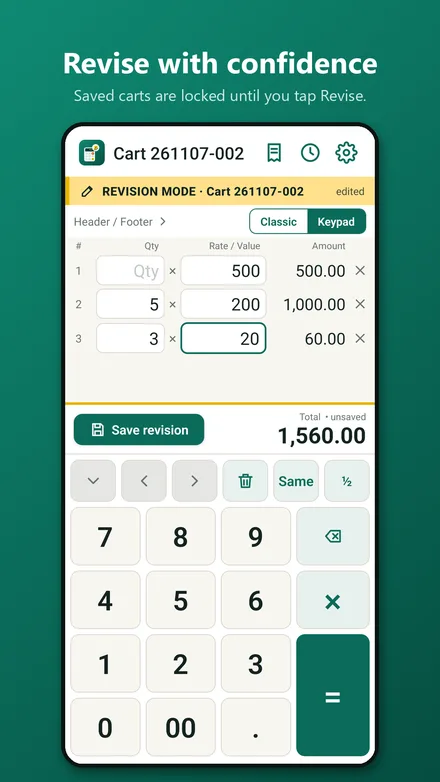
Enter quantity, press Next, enter the rate, press Next. Every row amount and the running total update as you type. Rows with only a value (no quantity) work too. Use the built-in keypad or your phone keyboard.
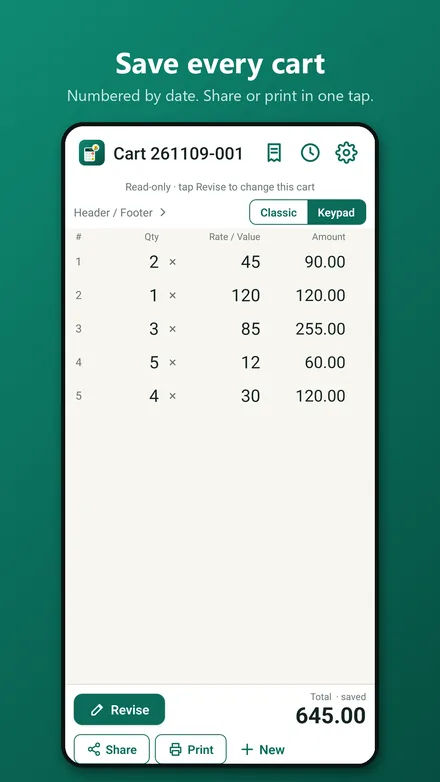
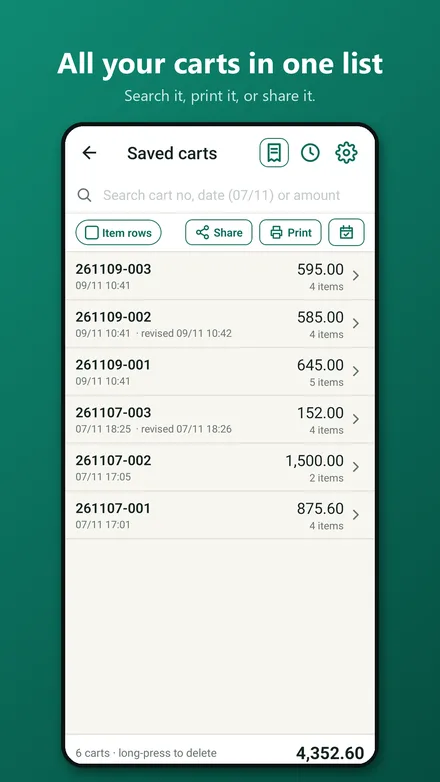
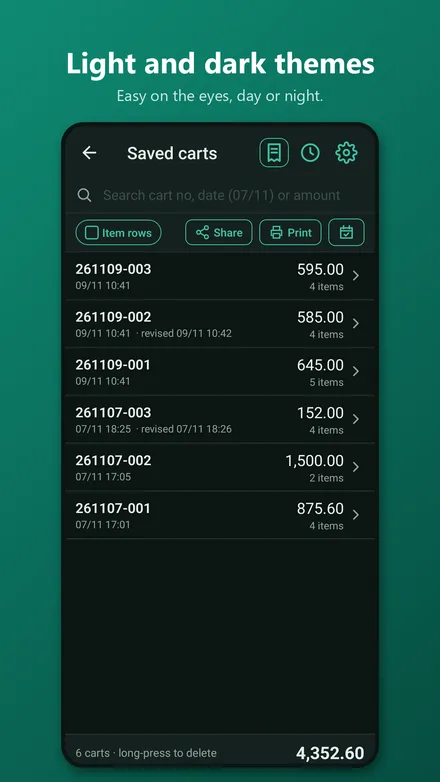
Every cart is saved with a number by date, like 261109-001. The list shows each cart's total and item count; search by number, date or amount, then open, reprint or share any cart. Print or share the whole list too, with or without the item rows.
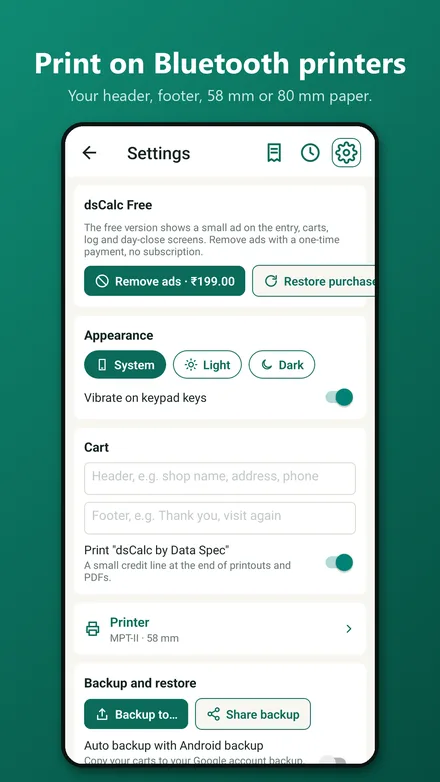
Send a cart over WhatsApp as plain text, or as a PDF. Add your shop name, address and a thank-you line once in Settings; a single cart can carry its own header and footer too.
Print on 58 mm or 80 mm Bluetooth thermal printers. Pick your printer once in Settings, then print any cart, the saved-carts list, the cart log or the day statement in one tap. A small animation shows it is working, and if the printer is off you can search for it again right from the message.
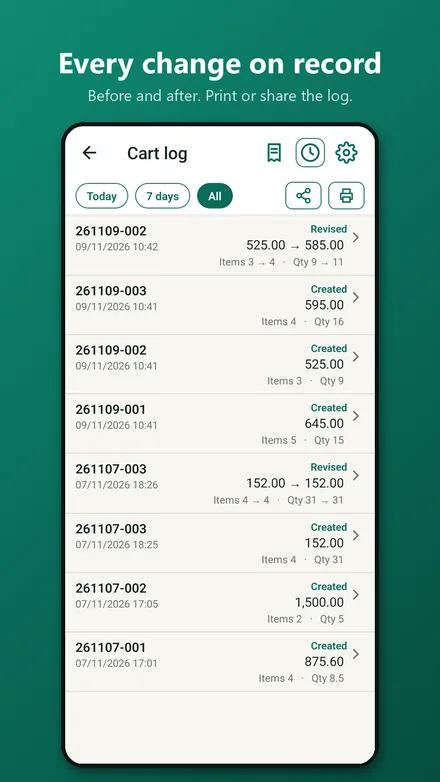
Saved carts open read-only. Tap Revise and confirm to change one. Every revision is logged with the values before and after, including item count and total quantity. A deleted cart stays in the log with its original values. Print or share the log for today, the last 7 days, or everything.
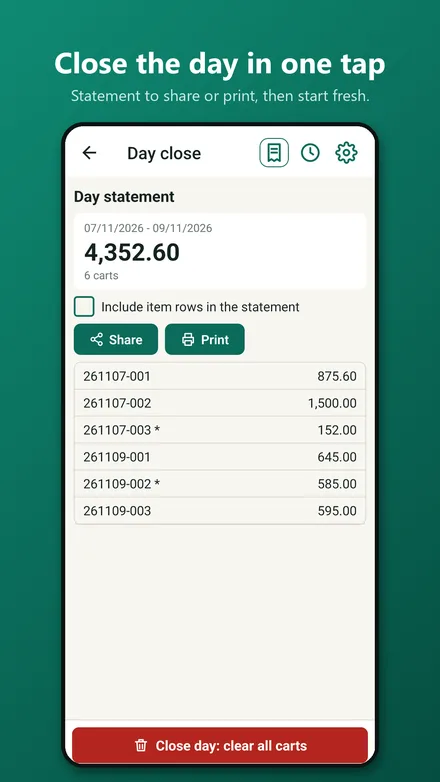
One screen gives the day statement: every cart and the grand total. Share it, print it, or include the item rows. Then clear all carts and start fresh. The log is kept.
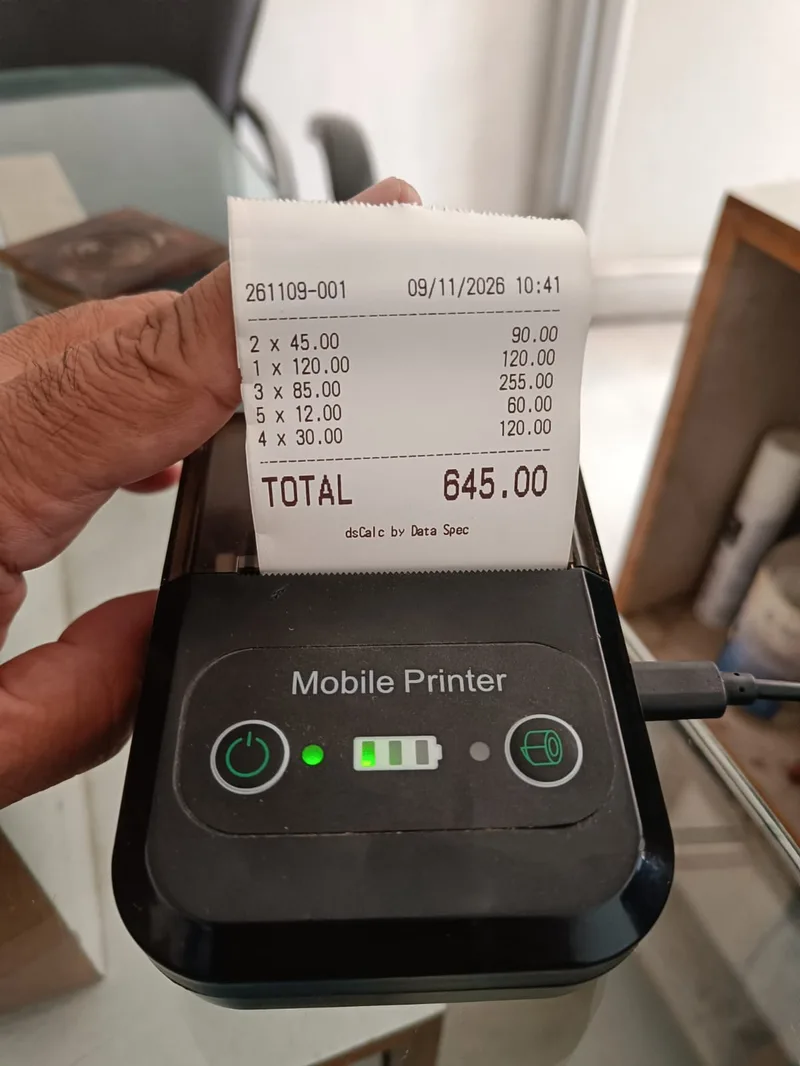
This is a real printout from a low-cost 58 mm Bluetooth thermal printer: cart number and date, every row as quantity × rate with its amount, and a large total. Add your shop name, address and a thank-you line in Settings and they print above and below.
If the printer is off or out of range, dsCalc tells you and offers to search for it again, so you never have to dig through settings at the counter.
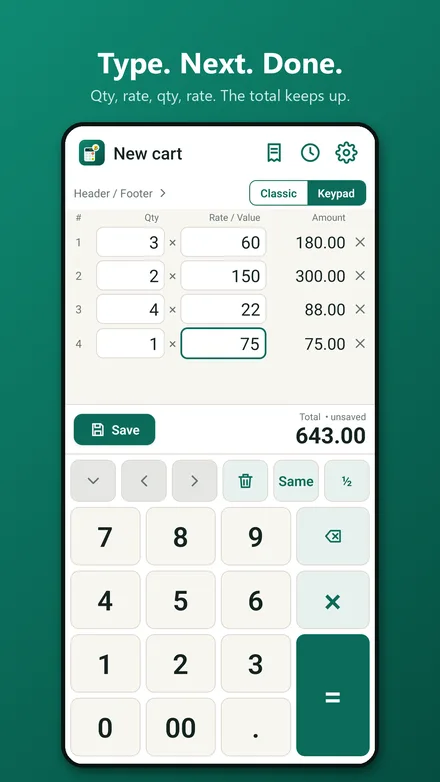
Screenshots from the Android app, with sample data.
dsCalc is free with one small banner ad served by Google AdMob. A single one-time in-app purchase of Rs.199 removes ads for good. No subscription, and every feature works in both versions. Where the law asks for it (EEA and UK) you are asked for consent first.
The ads are provided by Google AdMob, which may use your device's advertising ID and other device data to serve and measure them. Read the privacy policy for details.
Free to install, no sign-in. One small ad, or Rs.199 once to remove it for good.